

Creating an APK downloading website in WordPress is a great way to provide users with easy access to Android apps and games. In this guide, I’ll walk you through the steps of building a fully functional APK website using WordPress. You’ll learn how to design a this using basic theme and Elementor Page Builder, integrate plugins for file management, ensure your site is user-friendly, and optimize it for fast downloads. Whether you’re looking to offer APKs for free provide links to the Play Store or monetize your platform, this tutorial will help you set up a secure and professional-looking website in no time.
Preview
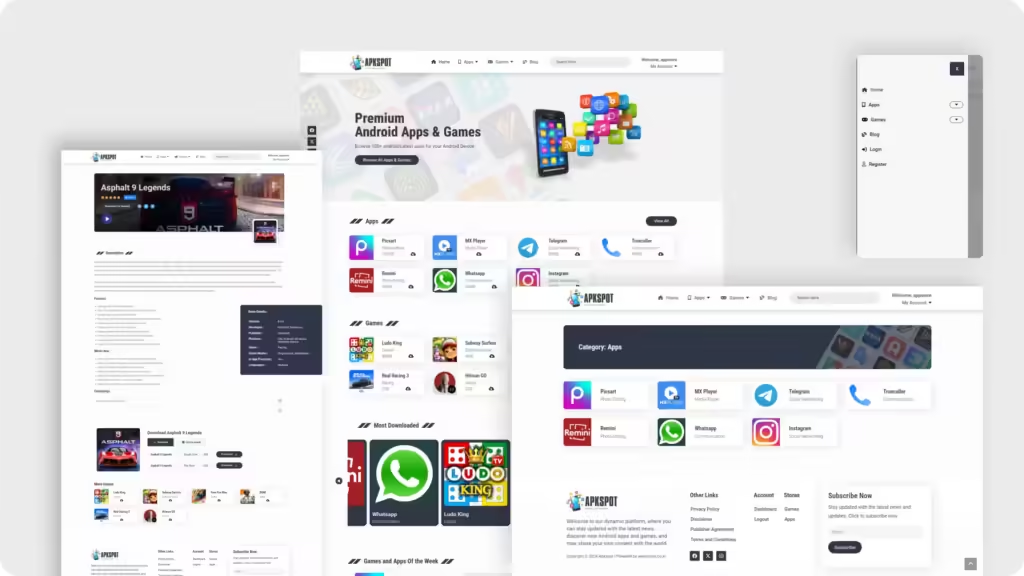
Live Preview
Plugins Used
- Elementor
- Pro Elements
- Elementor Header and Footer Builder
- ElementsKit Lite
- Unlimited Elements For Elementor
- Ultimate Member
All the Plugins mentioned above are FREE to download in a WordPress
Snippets
Hover Effect CSS
.btnhover {
     position: relative;
    overflow: hidden;
}

.btnhover::before {
    content: "";
    position: absolute;
    top: 0;
    left: -100%;
    width: 100%;
    height: 100%;
    background-color: #2F3645; /* The color you want on hover */
    transition: all 0.5s ease;
    z-index: -1;
}

.btnhover:hover::before {
    left: 100%;
}
Watch Tutorial
Coming Soon…
Conclusion
In conclusion, creating an APK downloading website in WordPress is a straightforward process when using the right tools and plugins. By following the steps outlined, you can build a user-friendly platform that offers easy APK downloads while maintaining security and performance. Whether for personal use or to monetize, your WordPress APK website will be ready to serve your audience efficiently.
